
简介:
体面的样品Slinky Violin v1.0.2 KONTAKT SFZ体面的采样器 [免费]
免费 | KONTAKT SFZ DS | 399 MB
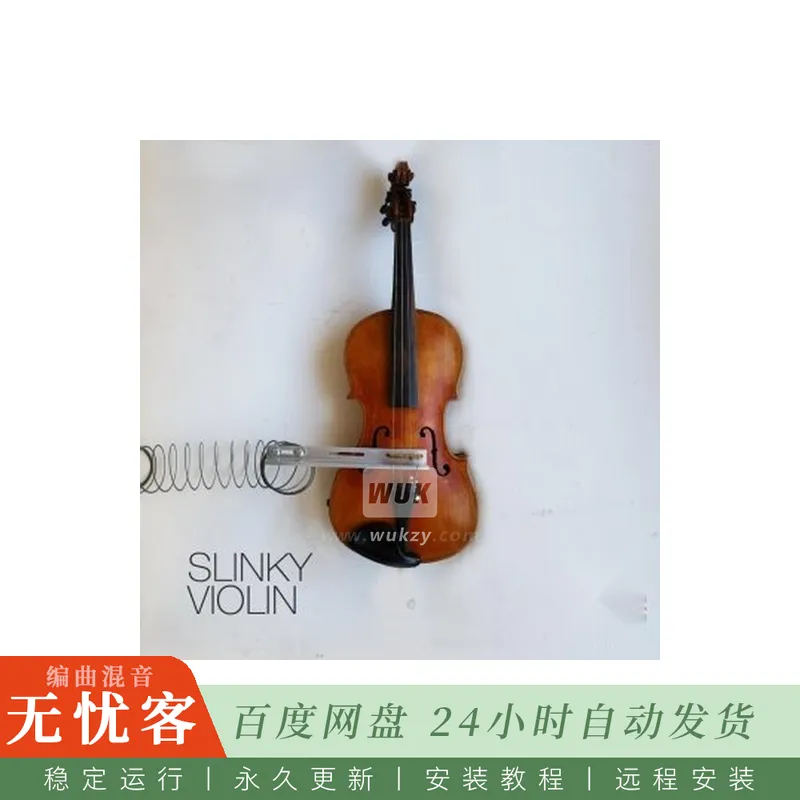
2020年11月,Dave Hilowitz在他的小提琴上附加了一个slinky,有效地将他的工作室变成了一个巨大的混响箱。由此产生的声音既尘土飞扬,金属,和令人难忘的美丽。
该库包含补丁的五个版本:
-Slinky小提琴:这是该音色的基本版本。它有两个速度层。速度控制音量。
-Slinky小提琴 (仅限forte layers): 该版本仅由响亮的图层组成。速度控制音量。
-Slinky小提琴 (钢琴层只): 版本只是由软层。速度控制音量。
-Slinky小提琴二重奏: 此版本包括同时播放上述样本中的柔和和响亮的图层。速度控制音量。
-丝滑小提琴二重奏(调制轮):管弦乐作曲家一定会首选这一音色。此补丁中的动态效果由调制轮(MIDI CC1)控制。随着modwheel一直向下,您只会得到一把小提琴。将调制轮调至最顶端时,两层音色的音量都会达到最大。
三个版本:
-Kontakt版本与Native Instruments Kontakt 5.8.1 (或更高版本) 的完整版本兼容。
-SFZ版本测试与Plogue Sforzando
-体面的采样器版本与免费的体面样品播放器插件一起工作。在此下载。
-带音量旋钮的卷积混响
-采样率:24位48kHz
关于实验
这些年来,我拥有几款内置弹簧混响的吉他音箱,我一直很喜欢那种twangy,金属般的声音。电吉他放大器中的弹簧混响的工作原理是从吉他的拾音器中获取信号,将其放大,将其传递到长线圈的一端,在另一端拾取,然后再放大该信号。因为内部线圈是长而扭曲的,声波不会直接从混响槽的一端传播到另一端,而是花时间和反弹。这便产生了我们耳熟能详、深爱不已的典型混响效果。
我一直很好奇,如果小提琴也经过类似的处理,会发出怎样的声音。当然,原声小提琴比电吉他更具模拟性-没有拾音器-这就提出了一个问题: 如果将弹簧直接连接到要添加混响的乐器主体上,该怎么办?在看到Simon the喜鹊Youtube视频后,Simon在他的原声吉他上尝试了类似的实验,我确切地知道我必须做什么。您可以在上方链接的视频中观看我的实验过程。
(没错,我后来已经把我从儿子那儿偷来的弹簧玩具换掉了。)🙂
您可以在这里下载Decent Sampler!
简介:
Decent Samples Slinky Violin v1.0.2 KONTAKT SFZ DECENT SAMPLER [FREE]
FREE | KONTAKT SFZ DS | 399 MB
In November 2020, Dave Hilowitz attached a slinky to his violin, effectively turning his studio into a giant reverb tank. The resulting sound was both dusty, metallic, & hauntingly beautiful.
The library contains five versions of the patch:
– Slinky Violin: This is the basic version of the patch. It has two velocity layers. Velocity controls volume.
– Slinky Violin (forte layers only): The version just consists of the loud layers. Velocity controls volume.
– Slinky Violin (piano layers only): The version just consists of the soft layers. Velocity controls volume.
– Slinky Violin Duet: This version consists of both the soft and loud layers from the above sample being played at the same time. Velocity controls volume.
– Slinky Violin Duet (modwheel): Orchestral composers will want to start with this one. The dynamics in this patch are controlled by the modwheel (MIDI CC1). With the modwheel all the way down, you get just one violin. With the modwheel all the way up, you get both layers at full volume.
Three versions:
– Kontakt version is compatible with the full version of Native Instruments Kontakt 5.8.1 (or later).
– SFZ version tested with Plogue Sforzando
– The Decent Sampler version works with the free Decent Samples player plugin. Download it here.
– Convolution reverb with level knob
– Sample rate: 24-bit 48khz
About the experiment
Throughout the years, I’ve owned several guitar amps with built-in spring reverb, and I’ve always loved that twangy, metallic sound. Spring reverb in electric guitar amps works by taking the signal from a guitar’s pickups, amplifying it, passing it into one end of a long coil, picking it up at the other end, and then amplifying that signal some more. Because the internal coil is long and twisty, the sound waves don’t travel directly from one end of the reverb tank to another, but instead take their time and bounce around. This produces the characteristic reverb effect we’ve all come to know and love.
I’ve always wondered what a violin would sound like if it were subjected to a similar treatment. Of course, an acoustic violin is a bit more analog than an electric guitar – there is no pickup – which raises the question: what if you were to attach the spring directly to the body of the instrument you were trying to add reverb to? After seeing a Simon the Magpie Youtube video in which Simon attempted a similar experiment on his acoustic guitar, I knew exactly what I had to do. You can watch my experiment unfold in the video linked above.
(And yes, I’ve since replaced the slinky I stole from my son.) 🙂
You can download Decent Sampler here!



评论0