
简介:
血清2预设-ARCADiA
团队阿卡迪亚 | 血清2预设 | 41.98 MB
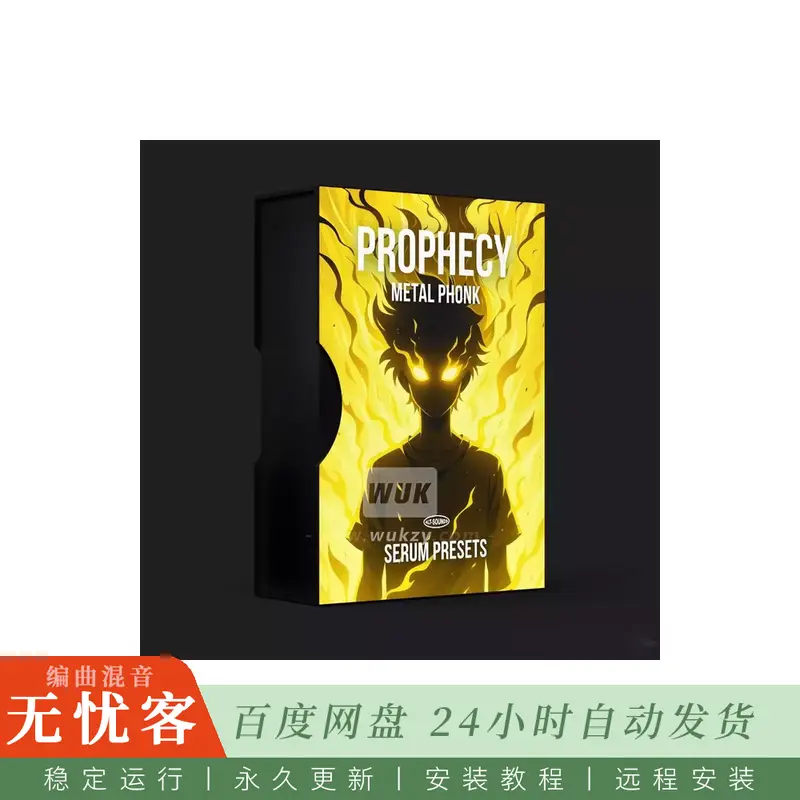
PROPHECY是为金属生产商制作的50个mix-ready血清预设的优质收藏,这些金属生产商希望将Phonk的黑暗,地下精神与现代沉重音乐的强度和攻击融合在一起。
在里面,您会发现标志性的牛铃,胖胖的和坚韧不息的贝司,惊天动地的808s和深色,喜怒无常的铅-所有这些都是为了穿越密集,高冲击力的产品而设计的。每个预设是完全可用的直接开箱,零填料,不需要无休止的调整。
预言在一个地方为您提供了所有必要的金属声调,因此您可以停止通过随机库进行挖掘或依靠一堆vst。这里的一切都是精心设计的,以增强重型,替代和地下倾斜的轨道,而不会听起来像通用或过度使用。
无论你是生产现代金属,金属芯,Nu金属,或探索金属Phonk的阴暗面,这个包提供的纹理,重量,和独特的性格需要推动你的声音进入新的领域。
停止寻找合适的声音。开始塑造一个更重,更暗,毫无疑问的替代金属x Phonk身份。
里面有什么?
50个音色预设
⚠️⚠️
需要Serum v.2.0.22
⚠️⚠️
❌
此包与血清1不相容
预设预览
聆听完整音效库中精选的部分音效。
教程:如何用PROPHECY制作金属朋克风格音乐
如何安装
在Serum中,点击右上角的菜单,然后选择“打开Serum预设文件夹”。将下载的预设文件复制到“预设”>“用户”文件夹中。关闭并重新打开Serum以刷新插件。前往菜单栏,选择“重新扫描磁盘上的文件夹”以加载新的预设。
简介:
Alt-Sounds PROPHECY METAL PHONK Serum Presets Serum 2 Presets-ARCADiA
Team ARCADiA | Serum 2 Presets | 41.98 MB
PROPHECY is a premium collection of 50 mix-ready Serum presets crafted for Metal producers who want to fuse the dark, underground spirit of Phonk with the intensity and aggression of modern heavy music.
Inside you’ll find signature cowbells, fat and gritty basses, earth-shaking deep 808s, and dark, moody leads — all designed to cut through dense, high-impact productions. Every preset is fully usable straight out of the box, with zero filler and no need for endless tweaking.
PROPHECY gives you all the essential Metal Phonk tones in one place, so you can stop digging through random libraries or relying on a stack of VSTs. Everything here is crafted to enhance heavy, alternative, and underground-leaning tracks without sounding generic or overused.
Whether you’re producing Modern Metal, Metalcore, Nu Metal, or exploring the darker side of Metal Phonk, this pack delivers the textures, weight, and unique character needed to push your sound into new territory.
Stop searching for the right sounds. Start shaping a heavier, darker, and unmistakably alternative Metal x Phonk identity.
What’s inside?
50 Serum Presets
⚠️⚠️
Requires Serum v.2.0.22
⚠️⚠️
❌
This pack is NOT compatible with Serum 1
Preset Previews
Listen to a selection of the sounds included inside the full library.
TUTORIAL: How to make METAL PHONK with PROPHECY
How to install
In Serum, click Menu (top right) then Open Serum Presets folder. Copy the downloaded presets into the Presets > User folder. Close and reopen Serum to refresh the plugin. Go to the Menu bar and select “Rescan Folders on Disk” to load in the new presets.


评论0