
简介:
killihu MIDI Explorer v1.1 For Max for Live-太棒了
神奇 | 2026年9月15日 | 0.2mb
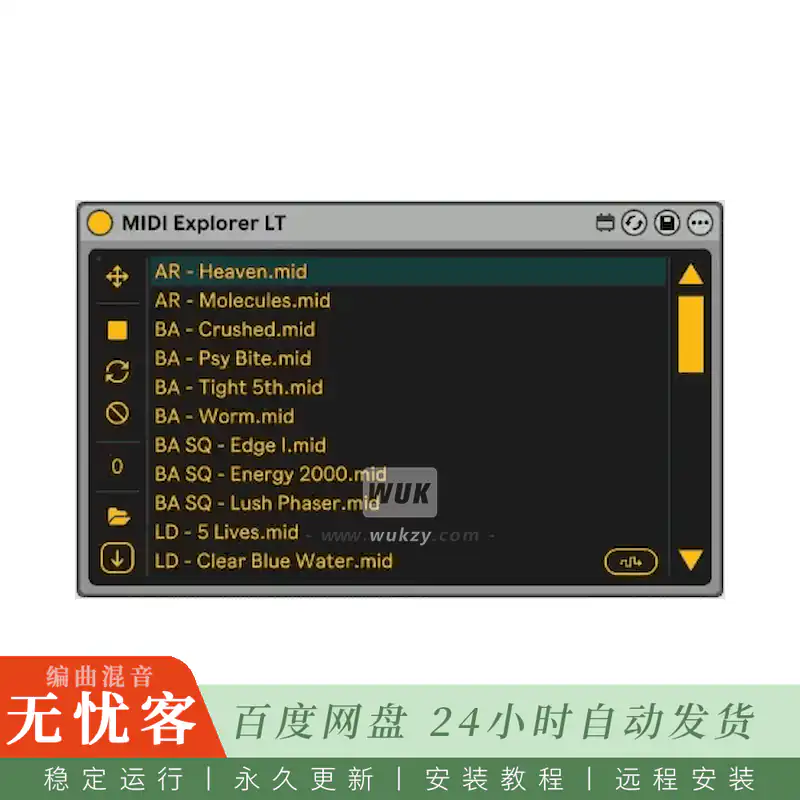
MIDI资源管理器允许您直接在乐器轨道上预览MIDI文件,使用乐器进行预览,并使用拖放将它们作为剪辑直接从设备加载到项目中。
该设备具有用于浏览磁盘驱动器的文件浏览器。保存设备预设时,它会存储要从中导航的所选根文件夹的路径。它不会阻止曲目的MIDI输入,因此您可以继续正常工作。它还会在将MIDI文件插入到项目中时停止播放。
当Live transport处于活动状态时,MIDI文件的播放将与下一个测量的开始同步。但是在MIDI文件中包含的播放速度下,与现场节奏不同步。
MIDI Explorer LT仅显示单个文件夹的内容,但它具有存储文件夹路径的功能,因此可以创建指向不同文件夹的设备预设。
要求
• Ableton Live 10或更高版本
•Max for Live
本独家发布由匿名会员慷慨提供。
感谢您对Wukzy.com的支持!
简介:
killihu MIDI Explorer v1.1 For Max for Live-FANTASTiC
FANTASTiC | 15 September 2026 | 0.2 MB
MIDI Explorer allows you to preview MIDI files directly on an instrument track, using the instrument for previewing, and load them as a clip into the project directly from the device using drag and drop.
The device has a file browser for browsing disk drives. When saving a device preset, it stores the path of the selected root folder from which to navigate. It does not block the track’s MIDI input, so you can continue working normally. It also stops playback of the MIDI file when inserting it into the project.
When Live transport is active, playback of MIDI files is synchronized with the start of the next measure. But at the playback speed contained in the MIDI file, not synchronized with the Live tempo.
MIDI Explorer LT only displays the contents of a single folder, but It has the feature of storing the folder path, so device presets can be created that point to different folders.
Requirements
•Ableton Live 10 or later
•Max for Live
This exclusive release was generously supplied Anonymous Member.
Thank you for supporting Wukzy.com!





评论0