
简介:
虚拟DJ Studio v9.0.3
P2P | 09.2026 | 37 MB
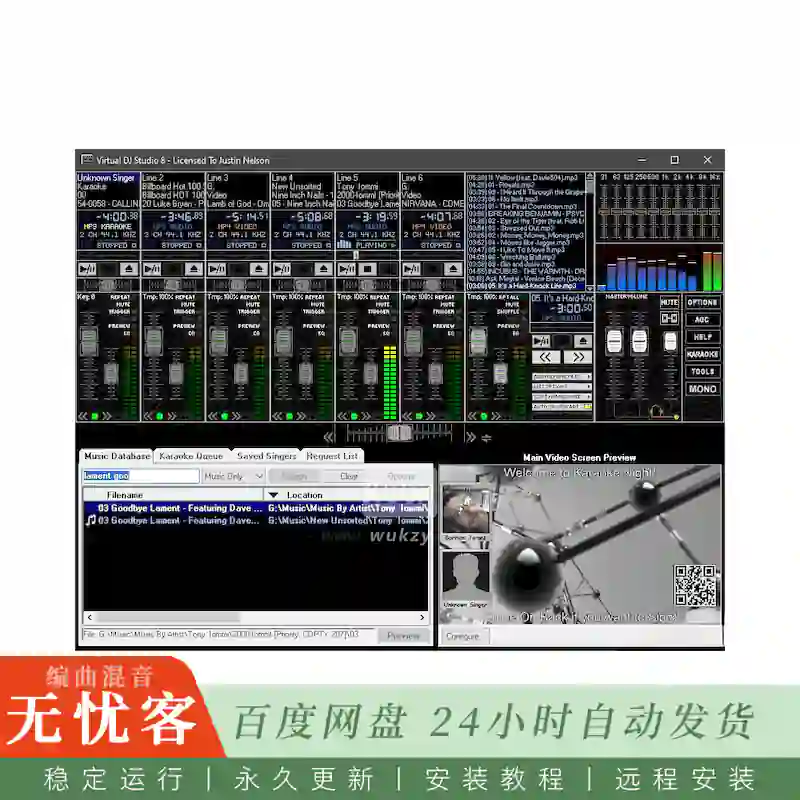
如果你有音频设备的诀窍,你会很快拿起虚拟DJ工作室使用虚拟DJ工作室 (VDJ) 是现场DJ表演的MP3混音器。使用Virtual DJ Studio,您可以使用多个监视器支持播放卡拉ok,混合MP3文件,使用多个声卡,并单独调整每个文件的音高和节奏。VDJ还包含一个完整的10频段图形均衡器,完全支持音频插件,频谱分析仪以及更多用于dj的工具。
虚拟DJ工作室与市面上其他所有DJ软件都不一样。与其他仅支持两名混音师并配备交叉衰减器的软件不同,Virtual DJ Studio为您打造了一整间专业录音棚。两层的比喻已经过时了。没有理由限制自己,当你的电脑可以很容易地给你这么多。
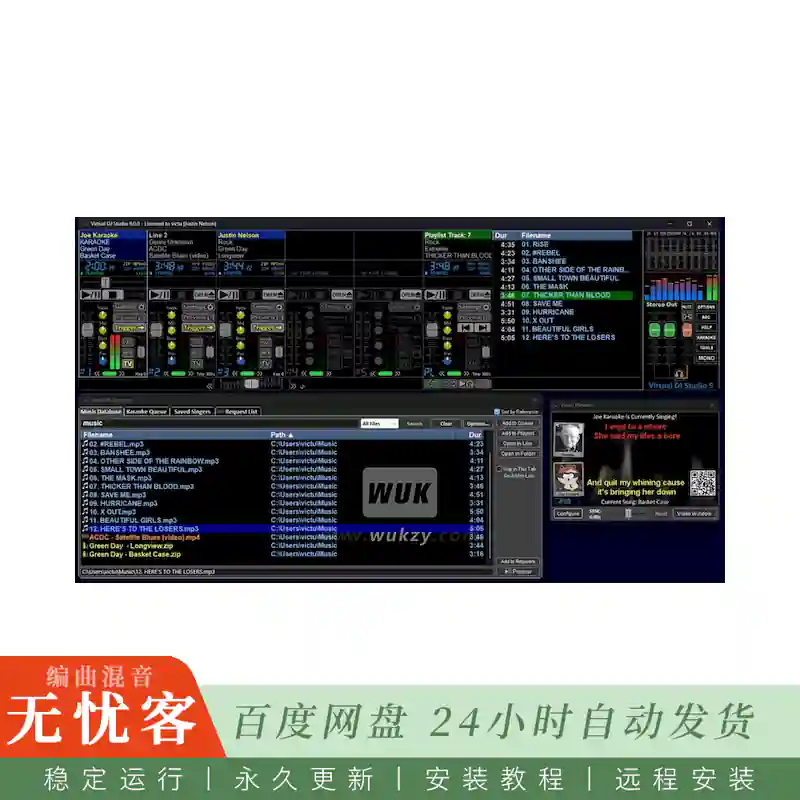
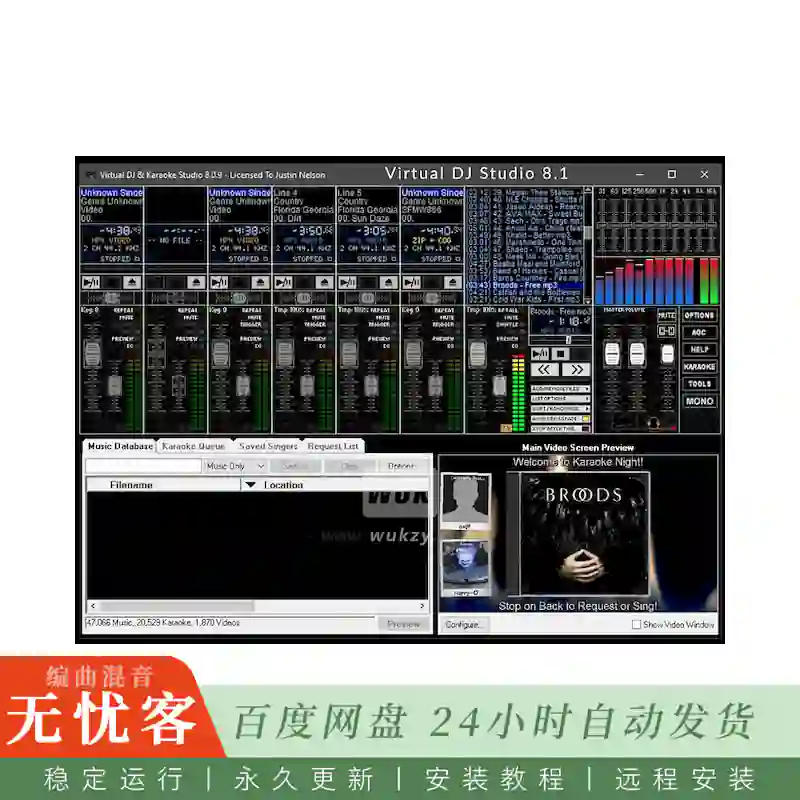
现在,有了虚拟DJ工作室,你可以摆脱这个疲惫的隐喻!您将快速了解VDJ与其他DJ软件的不同之处。布局像一个混音器,每一行都有一个完整的MP3,WAV和播放列表播放器,有自己的音量推子,音高/节奏控制,等等。
功能:
播放列表支持
您可以加载一个完整的音乐播放列表,设置自动交叉淡入淡出按钮,并简单地让VDJ混合您的音乐
全面支持卡拉OK
追捕卡拉ok光盘,找到正确的轨道,只有一个的日子
支持的卡拉OK格式
您可以播放一个带有相应.的MP3文件。CDG文件,或者您也可以直接从ZIP文件中播放。VDJ直接完成这一操作,无需像大多数其他程序那样创建临时文件。VDJ是唯一的卡拉ok系统,让你寻求同时直接播放ZIP或MP3文件,而不会失去同步!阿吉纳!
歌手列表
尽管VDJ与其他卡拉OK软件的界面有所不同,但它依然具备歌手列表功能。启用后,您可以将任意数量的歌曲加入播放队列,并注明希望演唱该曲目的人姓名。从那里,您可以将一首歌曲拖放到VDJ的某一行,或者直接双击,在第一行中打开该文件。在未播放任何卡拉OK文件时,VDJ还会在CDG窗口中显示歌手与歌曲列表(例如,如果您的CDG窗口已连接至第二台显示器、电视或多台电视机,您的顾客就能清楚地知道下一位演唱者是谁,以及他们的曲目何时轮到)。
易于使用
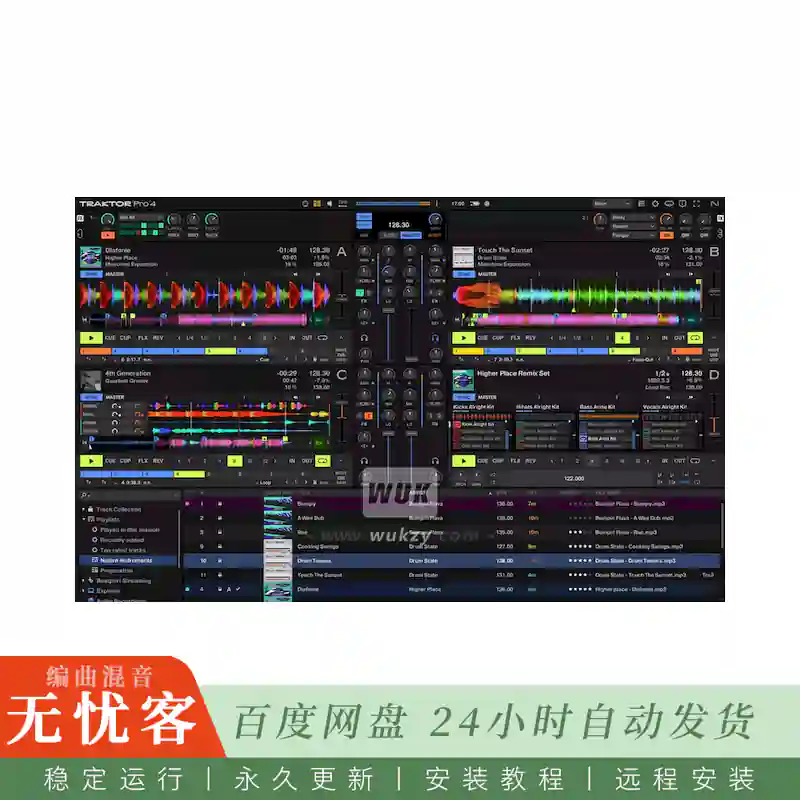
别被图中密密麻麻的按钮吓到。如果你对音频设备颇有心得,很快就能上手VDJ的使用。VDJ配备了完整的帮助文档,其中还包含一份入门指南,助您快速上手,轻松混音MP3!
耳机支持
VDJ允许您使用另一张声卡来对音频文件进行CUE或预听。您可以利用此功能辅助节拍混音(将两首歌曲按节拍无缝衔接),也可在正式演出前先预听曲目。许多DJ会用笔记本电脑的内置声卡进行预听(因为其内置声卡的音质往往不尽如人意),而在主混音时则使用外接的USB音频设备。此配置允许您使用双CD甲板和外部混音器的灵活性; 就像一个真正的混音器,使提示按钮路线到耳机输出 (例如,到您的辅助声卡)。
简介:
Virtual DJ Studio v9.0.3
P2P | 09.2026 | 37 MB
If you have a knack for audio equipment, you will quickly pick up on Virtual DJ Studio use Virtual DJ Studio (VDJ) is an MP3 Mixer for live DJ performances. With Virtual DJ Studio you can play Karaoke with Multiple Monitor Support, Mix MP3 Files,use multiple Sound Cards, and adjust Pitch and Tempo on each file individually. VDJ also contains a full 10-band Graphic Equalizer, full support for Audio Plugins,a Spectrum Analyzer, and many more tools for DJs.
Virtual DJ Studio is not like all of the other DJ programs out there. While other programs limit you to two players with a Cross-Fader, Virtual DJ Studio provides you with an entire studio. The two-deck metaphor is out-dated. There is no reason to limit yourself when your PC can easily give you so much more.
Now, with Virtual DJ Studio, you can break free from this tired metaphor! You will quickly see how VDJ is different from other DJ software. Laid out like a Mixer, each Line features a full MP3,WAV and Playlist player,with its own Volume Fader,Pitch/Tempo control,and more.
Features:
Playlist Support
You can load up a playlist full of music, set the Auto-Crossfade button, and simply let VDJ mix your music
Full Karaoke Support
The days of hunting down a Karaoke CD, finding the right track, and having only one
Supported Karaoke Formats
You can either play an MP3 that has a corresponding .CDG file, or you can play directly from a ZIP file. VDJ does this directly, with no need to create temporary files (like most other programs do). VDJ is the only Karaoke system that lets you seek while directly playing a ZIP or MP3 file, without ever losing sync! agined!
Singers List
Even though VDJ looks different from other Karaoke programs, it still contains a Singer’s List feature. When enabled, you can queue up any number of songs, along with the name of the person who wishes to sing it. From there, you can drag a song into a line in VDJ, or simply double-click to launch the file in the first line. VDJ will also display a list of singers/songs in the CDG window when no karaoke file is being played (for example, if your CDG window is connected to a second monitor, television, or multiple TVs, your patrons will know who’s up next, and when their song will be up).
Easy to Use
Don’t be intimidated by the number of buttons you see in the picture. If you have a knack for audio equipment, you will quickly pick up on VDJs use. VDJ comes with a complete Help file, including a Getting Started guide that will have you mixing MP3s in no time!
Headphone Support
VDJ allows you to use an extra sound card for CUEing, or Previewing, a sound file. You can use this feature to assist with beat-mixing (fading two songs together on-beat), or for simply previewing a song before playing it live. Many DJs use their laptop’s built-in sound for previewing (since the quality of the internal sound chip is often lacking), and an external USB audio device for their main mix. This configuration allows you the flexibility you are used to with dual CD decks and an external mixer; just like a real mixer, enabling the CUE button routes that line to the headphone output (eg, to your Secondary Sound Card).

评论0